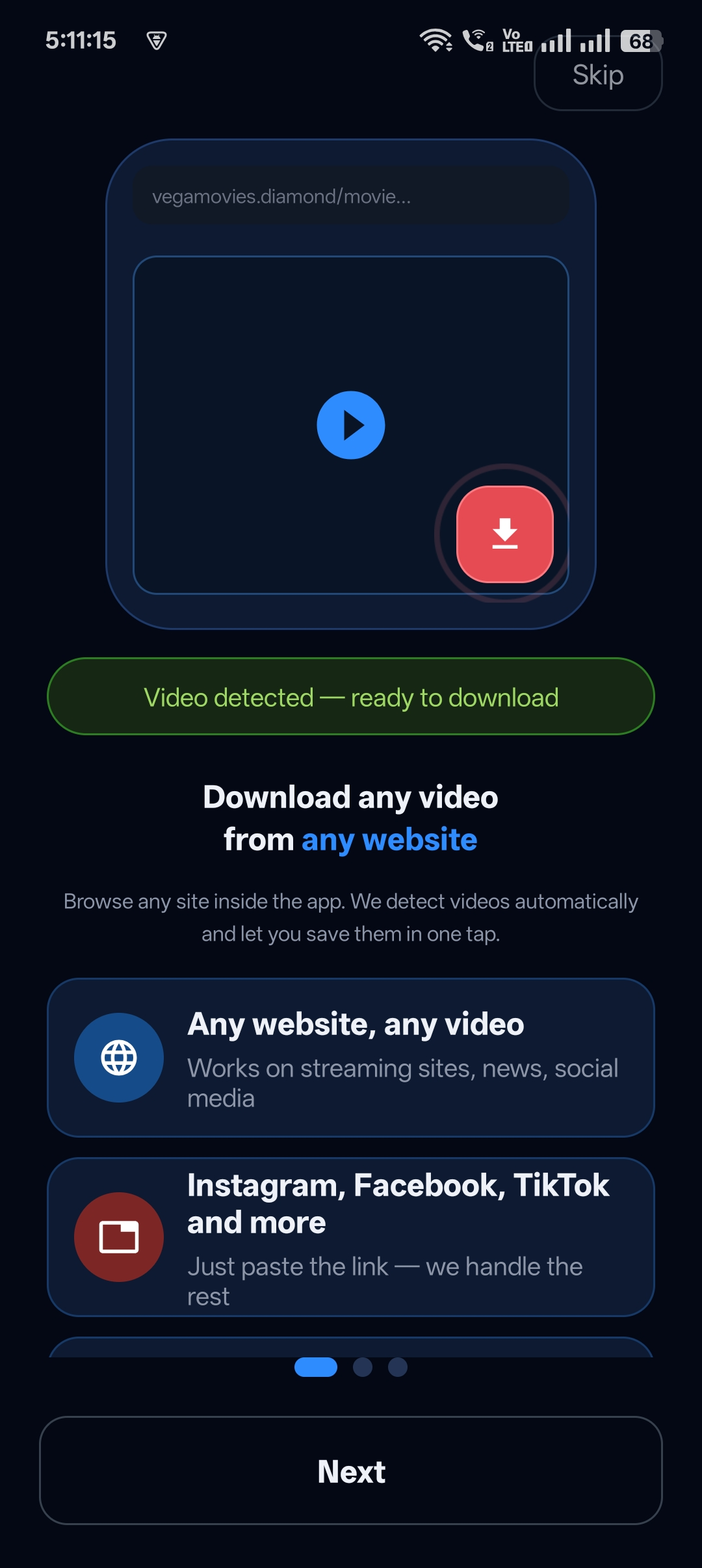
Usually you need two apps: a video saver to download, and a vault app to hide. That means moving files around, double storage and twice the permissions.
Universal Video Downloader is a video saver app with a safe vault built in. Download from 3786+ websites and lock any video in the Private Locker with one tap.
Quick answer: Save a video → open the three-dot menu → Move to Private Locker → enter your PIN. The video is now in your safe vault.
Why a built-in vault beats a separate vault app
- One step — download and lock without switching apps.
- No duplicate files — the video moves, it isn’t copied.
- Fewer permissions — one app instead of two.
- Recovery question — get back in if you forget your PIN.
How to save a video to the safe vault
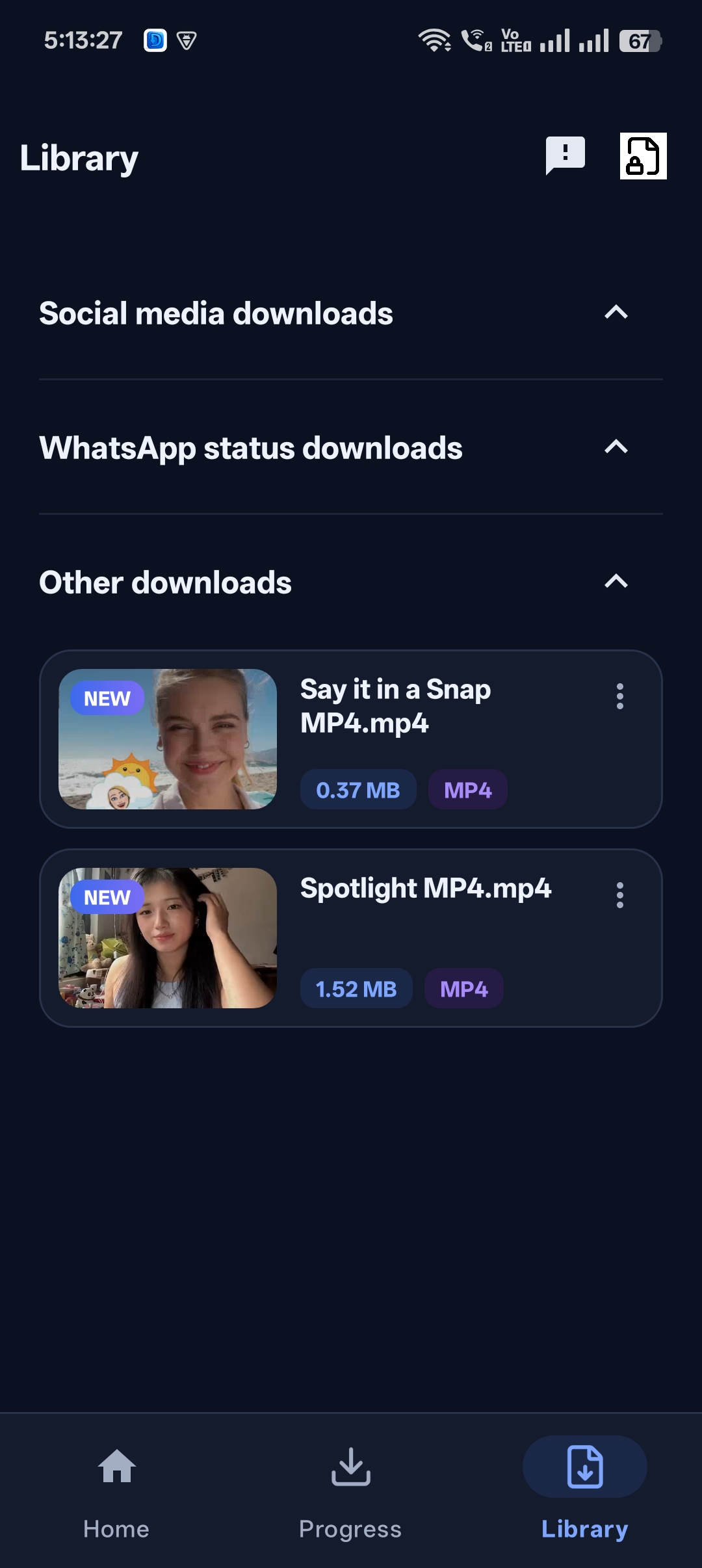
Step 1: Open your Library
All saved videos are listed in the Library tab, grouped by type.
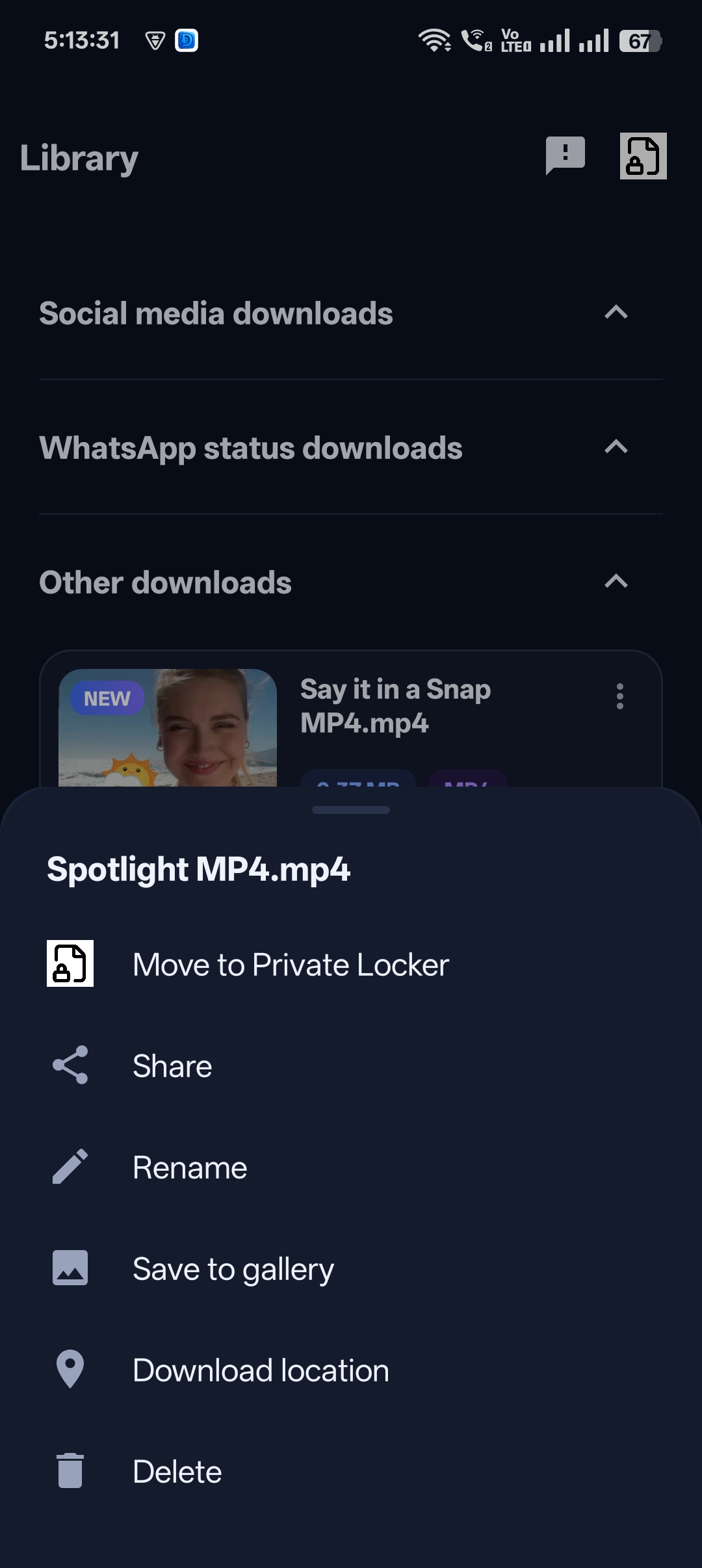
Step 2: Tap the three dots
Next to the video, tap the menu and choose Move to Private Locker.
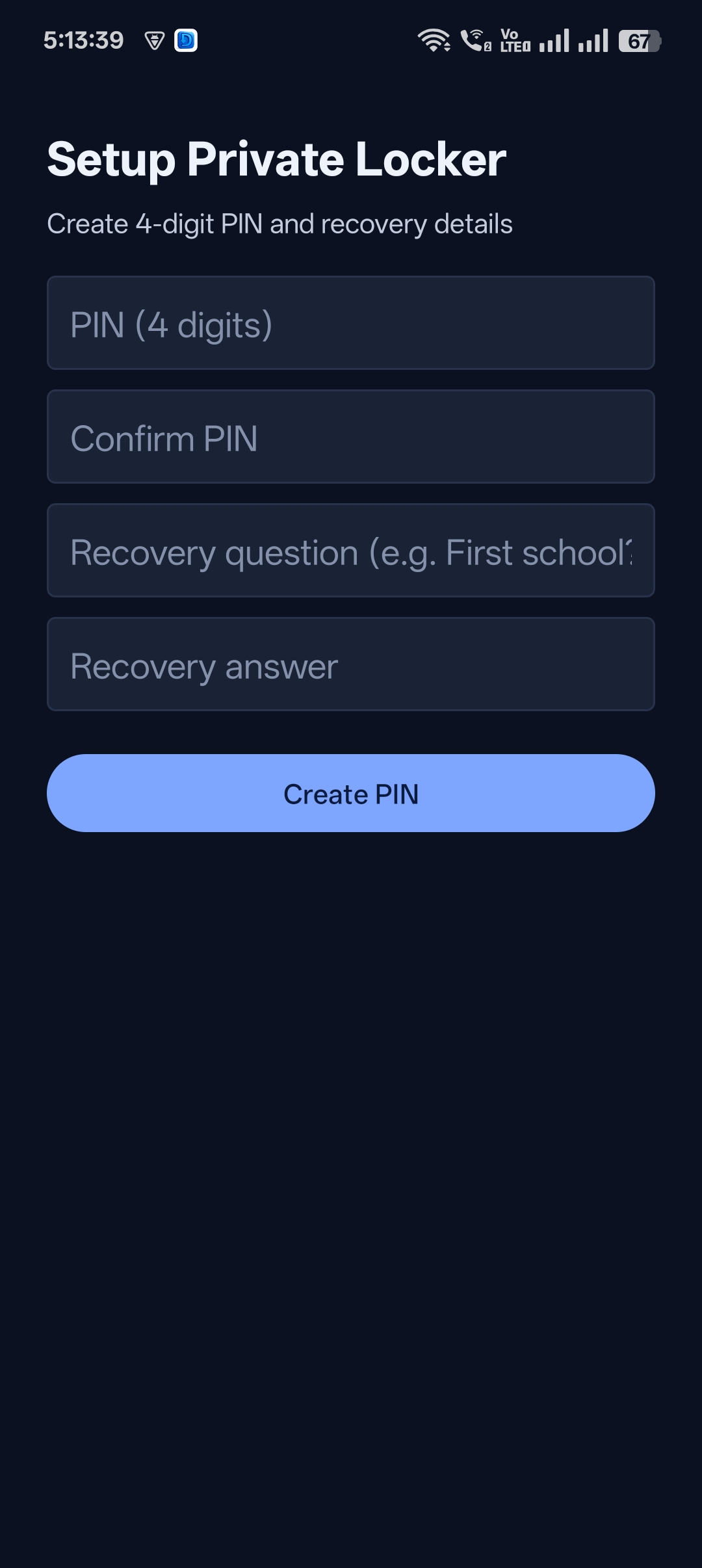
Step 3: Unlock or create your vault
Enter your PIN — or create one with a recovery question the first time.
Step 4: Done
The video is now stored in your safe vault and hidden from your gallery.


Get Universal Video Downloader
Download videos from 3786+ websites in HD and keep private ones in a PIN-locked folder. Free on Google Play.
Get it on Google PlayManaging videos in the vault
Inside the Library and Locker you can play, share, rename, save to gallery or delete videos — everything you need without leaving the app.
Download responsibly
Universal Video Downloader works only with publicly available videos. Downloading for personal, offline viewing is generally fine, but re-uploading other people’s videos, removing credit or using them commercially without permission can break copyright law and platform rules.
Respect creators: only download content you own or have permission to use. This is general information, not legal advice.
Frequently asked questions
Is the safe vault the same as the Private Locker?
Yes. The Private Locker is the app’s built-in safe vault.
Can other apps see videos in the vault?
No. Videos in the vault are hidden from the gallery and other apps.
Do I need a separate vault app?
No. The vault is built into Universal Video Downloader.
Can I take a video out of the vault?
Yes, you can move it back or save it to your gallery at any time.
Conclusion
Get one app that saves videos and keeps them safe. Download Universal Video Downloader from Google Play.
Related guides
Universal Video Downloader TeamWe build tools that make saving and enjoying online videos simple. Questions? Email help@universalvideodownloader.com.