Downloaded videos land in your gallery by default, where anyone who picks up your phone can see them.
Here are four easy ways to hide downloaded videos on your phone, starting with the simplest: hiding them inside the app you downloaded them with.
Quick answer: In Universal Video Downloader, tap the three dots next to a video → Move to Private Locker → enter your PIN. Other options: Google Photos Locked Folder, Samsung Secure Folder or the iPhone Hidden album.
4 methods compared
| Method | Phones | PIN protected |
|---|---|---|
| Universal Video Downloader Private Locker | Android (iOS soon) | Yes |
| Google Photos Locked Folder | Android | Yes (screen lock) |
| Samsung Secure Folder | Samsung Galaxy | Yes |
| Hidden album | iPhone | Yes (Face ID / passcode) |
Method 1: Hide videos in the Private Locker
Step 1: Open the video menu
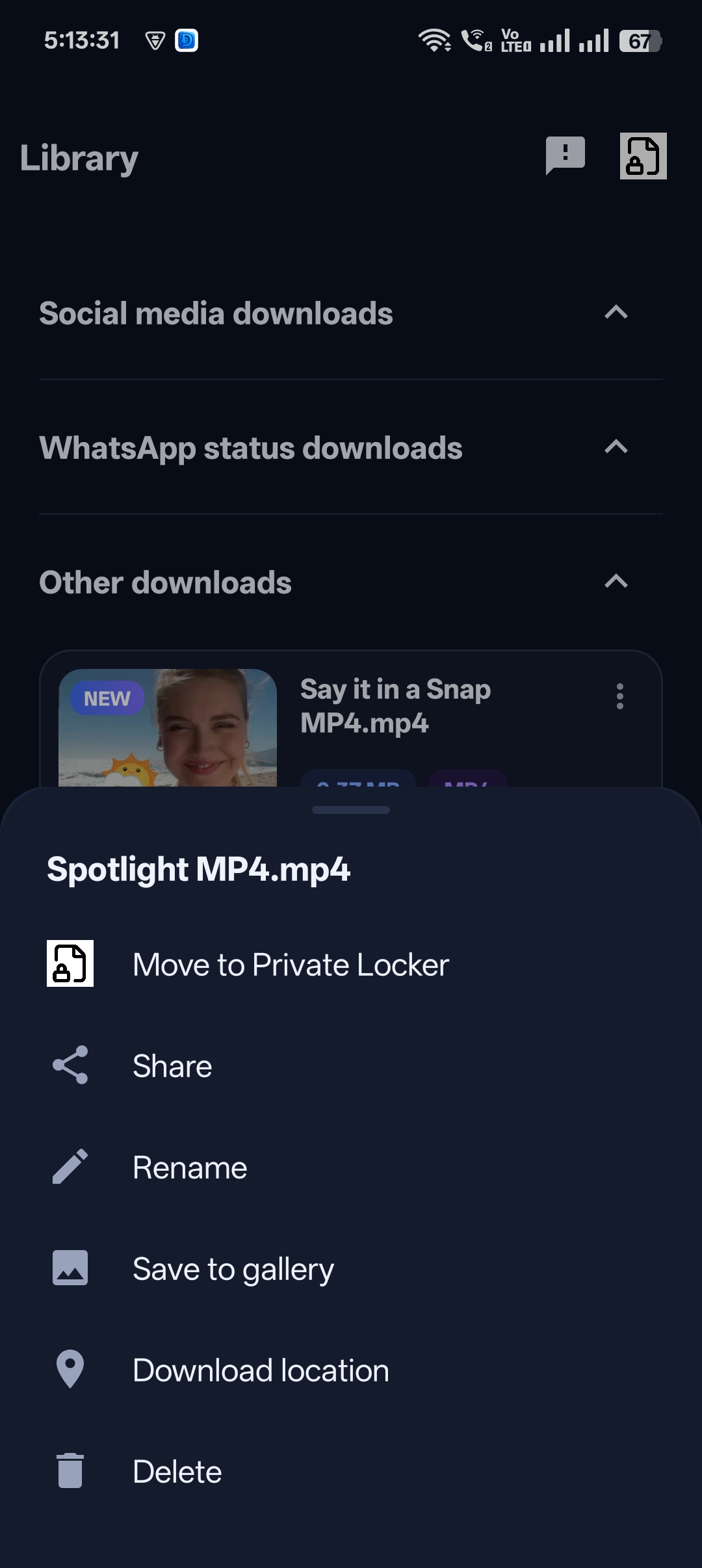
In the Library, tap the three dots next to a video and choose Move to Private Locker.
Step 2: Set or enter your PIN
Create a 4-digit PIN with a recovery question the first time.

Step 3: The video is hidden
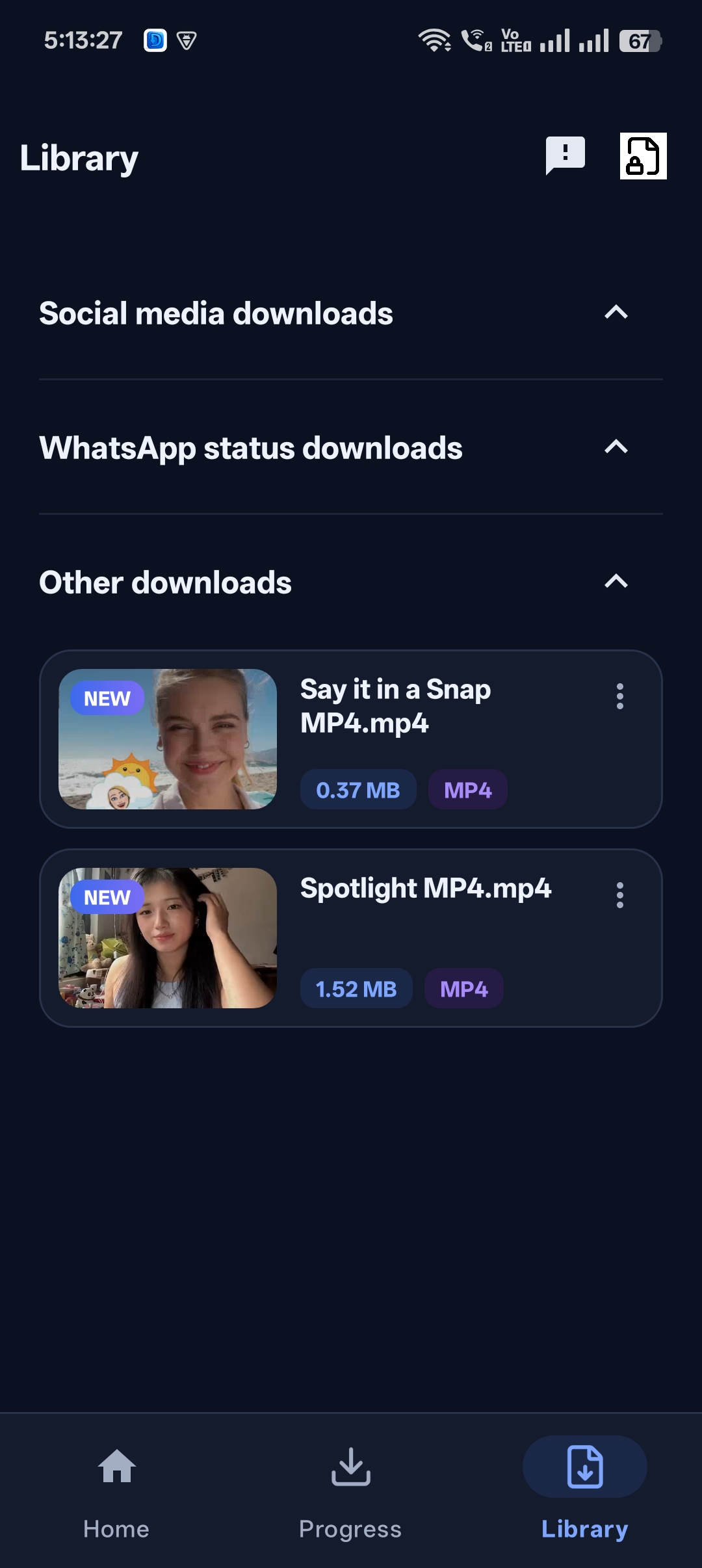
It’s removed from your gallery and other apps, and stays in the Locker.

Get Universal Video Downloader
Download videos from 3786+ websites in HD and keep private ones in a PIN-locked folder. Free on Google Play.
Get it on Google PlayMethod 2: Google Photos Locked Folder
Open Google Photos → Collections → Utilities → Locked Folder. Select a video and choose Move to Locked Folder. Locked items don’t appear in the main gallery or cloud backup.
Method 3: Samsung Secure Folder
On Samsung Galaxy phones, open Settings → Security and privacy → Secure Folder, set it up, then use Add files to move videos inside.
Method 4: iPhone Hidden album
In Photos, open the video, tap ⋯ → Hide. The Hidden album is locked with Face ID or your passcode by default.
Which method is best?
If you download videos regularly, the Private Locker is the most convenient because hiding happens right after the download — the video never needs to touch your gallery.
Set it up now: video downloader with private folder.
Frequently asked questions
Will hidden videos still use storage?
Yes. Hiding moves the video; it doesn’t delete it.
Can I hide videos without a separate app?
Yes — use the Private Locker built into Universal Video Downloader, or your phone’s built-in hidden folder.
Are hidden videos backed up to the cloud?
Google Photos Locked Folder isn’t backed up. Private Locker videos stay on your device.
What if I forget my Locker PIN?
Use the recovery question you set up.
Conclusion
The easiest way to hide downloaded videos is never to put them in the gallery in the first place. Download with Universal Video Downloader and move them straight to the Private Locker.
Related guides
Universal Video Downloader TeamWe build tools that make saving and enjoying online videos simple. Questions? Email help@universalvideodownloader.com.